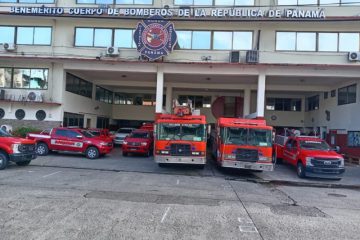
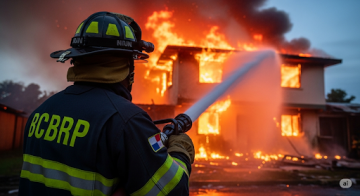
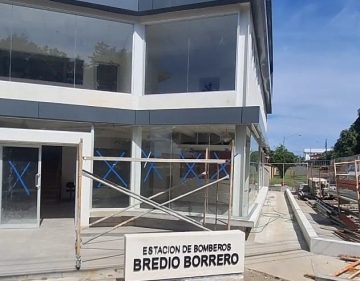
El Benemérito Cuerpo de Bomberos de la República de Panamá reafirma su compromiso con la protección de la vida y la seguridad de la ciudadanía mediante el fortalecimiento de su Unidad Canina de Rescate,
El Gobierno de los Estados Unidos entregó este miércoles una importante dotación de equipos de rescate al Benemérito Cuerpo de Bomberos de la República de Panamá, como parte de los esfuerzos de cooperación bilateral
La Banda de Música del Benemérito Cuerpo de Bomberos de la República de Panamá, Zona Regional de Colón, dejó en alto el nombre del país con su destacada participación en el desfile del Día
14 de noviembre de 2025
DIRECTOR GENERAL DEL BCBRP VIAJÓ A COLOMBIA: POR COOPERACIÓN TÉCNICA Y FORTALECER VÍNCULOS BOMBERILES EN LA REGIÓN Con el propósito de fortalecer los vínculos bomberiles y la cooperación técnica en la región, el Director
Lo que comenzó como una llamada de emergencia en la represa de Madden se convirtió en uno de los rescates más desafiantes y heroicos atendidos por el Benemérito Cuerpo de Bomberos de la República
El Benemérito Cuerpo de Bomberos de la República de Panamá ha atendido 25,139 emergencias a nivel nacional hasta la fecha, reflejando el esfuerzo constante de sus unidades en todo el territorio. Este registro abarca
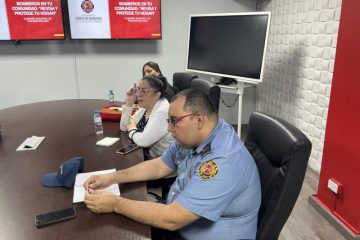
El Benemérito Cuerpo de Bomberos de la República de Panamá (BCBRP) presentó la iniciativa “Hogares Seguros”, como parte de la campaña permanente “Bomberos en tu comunidad”, que busca fortalecer la prevención y promover
El Benemérito Cuerpo de Bomberos de la República de Panamá extiende un sincero reconocimiento a todos los profesionales del periodismo panameño, quienes con compromiso, entrega y vocación informan con responsabilidad y veracidad a nuestra
El Benemérito Cuerpo de Bomberos de la República de Panamá (BCBRP) vive una nueva etapa de transformación y fortalecimiento, bajo el liderazgo del Coronel Víctor Raúl Álvarez, Comandante Primer Jefe de la institución.
En una emergencia, cada segundo cuenta. Y cuando el peligro se encuentra a varios pisos de altura, los carros escalera del Benemérito Cuerpo de Bomberos de la República de Panamá (BCBRP) se convierten en
Accesibilidad
Modos de accesibilidad
Modo seguro de epilepsia
Humedece el color y elimina los parpadeos.
Este modo permite a las personas con epilepsia utilizar el sitio web de forma segura al eliminar el riesgo de convulsiones que resultan de las animaciones intermitentes o parpadeantes y las combinaciones de colores arriesgadas.
Modo para personas con discapacidad visual
Mejora las imágenes del sitio web.
Este modo ajusta el sitio web para la comodidad de los usuarios con discapacidades visuales, como visión degradada, visión de túnel, cataratas, glaucoma y otras.
Modo de discapacidad cognitiva
Ayuda a concentrarse en contenido específico.
Este modo brinda diferentes opciones de asistencia para ayudar a los usuarios con deficiencias cognitivas, como dislexia, autismo, CVA y otras, a concentrarse más fácilmente en los elementos esenciales del sitio web.
Modo compatible con TDAH
Reduce las distracciones y mejora el enfoque.
Este modo ayuda a los usuarios con TDAH y trastornos del desarrollo neurológico a leer, navegar y concentrarse en los elementos principales del sitio web con mayor facilidad, al tiempo que reduce significativamente las distracciones.
Modo de ceguera
Permite usar el sitio con su lector de pantalla
Este modo configura el sitio web para que sea compatible con lectores de pantalla como JAWS, NVDA, VoiceOver y TalkBack. Un lector de pantalla es un software para usuarios ciegos que se instala en una computadora y un teléfono inteligente, y los sitios web deben ser compatibles con él.
Diccionario en línea
Experiencia legible
Escalado de contenido
Por defecto
Lupa de texto
Fuente legible
Apto para dislexia
Destacar títulos
Destacar enlaces
Tamaño de fuente
Por defecto
Altura de la línea
Por defecto
Espaciado de letras
Por defecto
Alineado a la izquierda
Centro alineado
Alineado a la derecha
Experiencia visualmente agradable
Contraste oscuro
Contraste de luz
Monocromo
Alto contraste
Alta saturación
Baja saturación
Orientación Fácil
Silenciar sonidos
Ocultar imágenes
Hide Emoji
Guía de lectura
Detener animaciones
Máscara de lectura
Resaltar pasar el cursor
Resalte el enfoque
Gran cursor oscuro
Cursor de luz grande
Lectura cognitiva
Teclado virtual
Teclas de navegación
Navegación por voz
Accessibility Statement
www.bomberos.gob.pa
22 de junio de 2026
Compliance status
We firmly believe that the internet should be available and accessible to anyone, and are committed to providing a website that is accessible to the widest possible audience,
regardless of circumstance and ability.
To fulfill this, we aim to adhere as strictly as possible to the World Wide Web Consortium’s (W3C) Web Content Accessibility Guidelines 2.1 (WCAG 2.1) at the AA level.
These guidelines explain how to make web content accessible to people with a wide array of disabilities. Complying with those guidelines helps us ensure that the website is accessible
to all people: blind people, people with motor impairments, visual impairment, cognitive disabilities, and more.
This website utilizes various technologies that are meant to make it as accessible as possible at all times. We utilize an accessibility interface that allows persons with specific
disabilities to adjust the website’s UI (user interface) and design it to their personal needs.
Additionally, the website utilizes an AI-based application that runs in the background and optimizes its accessibility level constantly. This application remediates the website’s HTML,
adapts Its functionality and behavior for screen-readers used by the blind users, and for keyboard functions used by individuals with motor impairments.
If you’ve found a malfunction or have ideas for improvement, we’ll be happy to hear from you. You can reach out to the website’s operators by using the following email
Screen-reader and keyboard navigation
Our website implements the ARIA attributes (Accessible Rich Internet Applications) technique, alongside various different behavioral changes, to ensure blind users visiting with
screen-readers are able to read, comprehend, and enjoy the website’s functions. As soon as a user with a screen-reader enters your site, they immediately receive
a prompt to enter the Screen-Reader Profile so they can browse and operate your site effectively. Here’s how our website covers some of the most important screen-reader requirements,
alongside console screenshots of code examples:
Screen-reader optimization: we run a background process that learns the website’s components from top to bottom, to ensure ongoing compliance even when updating the website.
In this process, we provide screen-readers with meaningful data using the ARIA set of attributes. For example, we provide accurate form labels;
descriptions for actionable icons (social media icons, search icons, cart icons, etc.); validation guidance for form inputs; element roles such as buttons, menus, modal dialogues (popups),
and others. Additionally, the background process scans all the website’s images and provides an accurate and meaningful image-object-recognition-based description as an ALT (alternate text) tag
for images that are not described. It will also extract texts that are embedded within the image, using an OCR (optical character recognition) technology.
To turn on screen-reader adjustments at any time, users need only to press the Alt+1 keyboard combination. Screen-reader users also get automatic announcements to turn the Screen-reader mode on
as soon as they enter the website.
These adjustments are compatible with all popular screen readers, including JAWS and NVDA.
Keyboard navigation optimization: The background process also adjusts the website’s HTML, and adds various behaviors using JavaScript code to make the website operable by the keyboard. This includes the ability to navigate the website using the Tab and Shift+Tab keys, operate dropdowns with the arrow keys, close them with Esc, trigger buttons and links using the Enter key, navigate between radio and checkbox elements using the arrow keys, and fill them in with the Spacebar or Enter key.Additionally, keyboard users will find quick-navigation and content-skip menus, available at any time by clicking Alt+1, or as the first elements of the site while navigating with the keyboard. The background process also handles triggered popups by moving the keyboard focus towards them as soon as they appear, and not allow the focus drift outside it.
Users can also use shortcuts such as “M” (menus), “H” (headings), “F” (forms), “B” (buttons), and “G” (graphics) to jump to specific elements.
Disability profiles supported in our website
Epilepsy Safe Mode: this profile enables people with epilepsy to use the website safely by eliminating the risk of seizures that result from flashing or blinking animations and risky color combinations.
Visually Impaired Mode: this mode adjusts the website for the convenience of users with visual impairments such as Degrading Eyesight, Tunnel Vision, Cataract, Glaucoma, and others.
Cognitive Disability Mode: this mode provides different assistive options to help users with cognitive impairments such as Dyslexia, Autism, CVA, and others, to focus on the essential elements of the website more easily.
ADHD Friendly Mode: this mode helps users with ADHD and Neurodevelopmental disorders to read, browse, and focus on the main website elements more easily while significantly reducing distractions.
Blindness Mode: this mode configures the website to be compatible with screen-readers such as JAWS, NVDA, VoiceOver, and TalkBack. A screen-reader is software for blind users that is installed on a computer and smartphone, and websites must be compatible with it.
Keyboard Navigation Profile (Motor-Impaired): this profile enables motor-impaired persons to operate the website using the keyboard Tab, Shift+Tab, and the Enter keys. Users can also use shortcuts such as “M” (menus), “H” (headings), “F” (forms), “B” (buttons), and “G” (graphics) to jump to specific elements.
Additional UI, design, and readability adjustments
Font adjustments – users, can increase and decrease its size, change its family (type), adjust the spacing, alignment, line height, and more.
Color adjustments – users can select various color contrast profiles such as light, dark, inverted, and monochrome. Additionally, users can swap color schemes of titles, texts, and backgrounds, with over seven different coloring options.
Animations – person with epilepsy can stop all running animations with the click of a button. Animations controlled by the interface include videos, GIFs, and CSS flashing transitions.
Content highlighting – users can choose to emphasize important elements such as links and titles. They can also choose to highlight focused or hovered elements only.
Audio muting – users with hearing devices may experience headaches or other issues due to automatic audio playing. This option lets users mute the entire website instantly.
Cognitive disorders – we utilize a search engine that is linked to Wikipedia and Wiktionary, allowing people with cognitive disorders to decipher meanings of phrases, initials, slang, and others.
Additional functions – we provide users the option to change cursor color and size, use a printing mode, enable a virtual keyboard, and many other functions.
Browser and assistive technology compatibility
We aim to support the widest array of browsers and assistive technologies as possible, so our users can choose the best fitting tools for them, with as few limitations as possible. Therefore, we have worked very hard to be able to support all major systems that comprise over 95% of the user market share including Google Chrome, Mozilla Firefox, Apple Safari, Opera and Microsoft Edge, JAWS and NVDA (screen readers).
Notes, comments, and feedback
Despite our very best efforts to allow anybody to adjust the website to their needs. There may still be pages or sections that are not fully accessible, are in the process of becoming accessible, or are lacking an adequate technological solution to make them accessible. Still, we are continually improving our accessibility, adding, updating and improving its options and features, and developing and adopting new technologies. All this is meant to reach the optimal level of accessibility, following technological advancements. For any assistance, please reach out to